
Support
Counting Trucks ELD is an electronic logging device (ELD) for truck drivers and motor carriers in the United States. Drivers record their hours of service in the Counting Trucks ELD app on iPhone or Android, paired with a Pacific Track PT30 ELD in the vehicle. Carriers manage their drivers, vehicles and logs in the web dashboard.
Contact us
Email is our main support channel. Write to us at support@countingtrucks.com. To help us answer quickly, please include:
- Your company name and USDOT number.
- The driver's name, if your question is about a driver's logs.
- The date, and a short description of what happened.
- A screenshot, if you have one.
The driver app
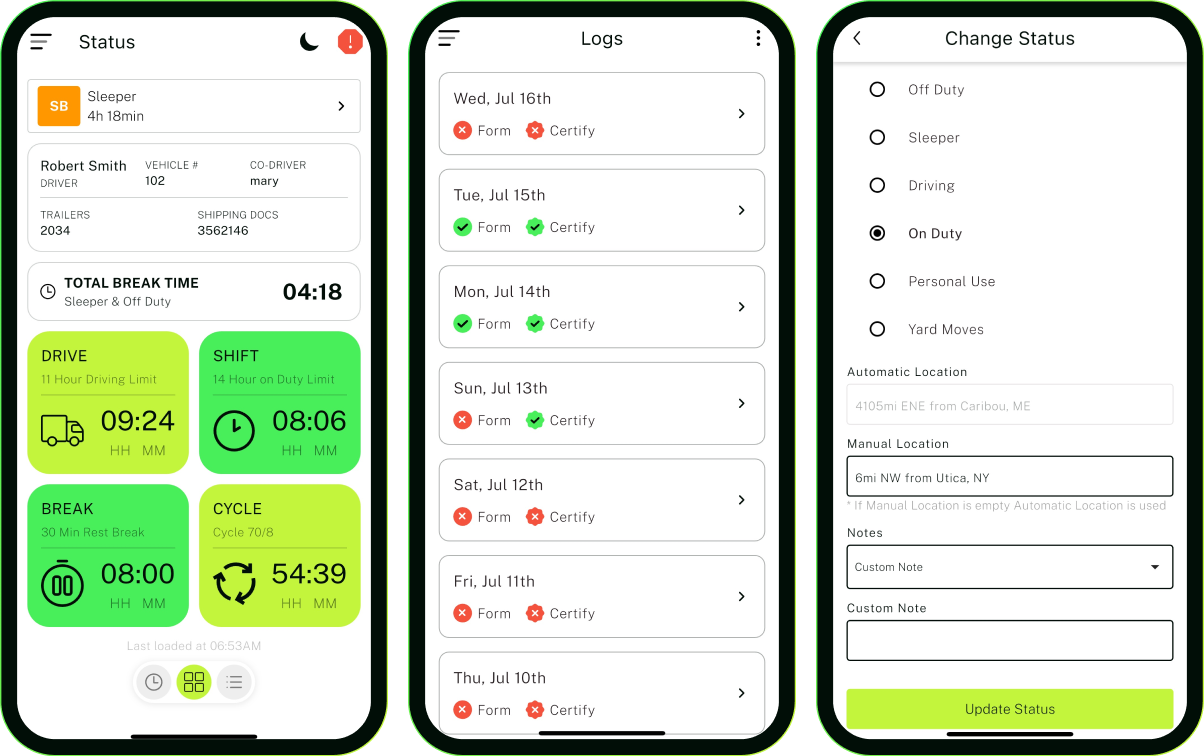
Using the app
- The app works with the Pacific Track PT30 ELD. Connect the PT30 to the vehicle, then pair it with your phone by Bluetooth from the app.
- The ELD user's manual, the data transfer instructions and the malfunction instructions are in the app.
- At a roadside inspection, show the officer your logs on the app's display, or send your logs to FMCSA from the app.
FMCSA and registration
Counting Trucks ELD is designed to meet FMCSA's ELD rule, 49 CFR Part 395, for use in the United States. We are waiting for FMCSA's final confirmation before we open registration. Until then, new accounts are not available.
Logs from before September 2026
Used Counting Trucks before the service closed in September 2026? Email us for your old logs.
Deleting your account
Email us to ask that we delete your account or the personal data we hold about you. We may keep records that federal rules or the law require us to keep. Our Privacy Policy has the details.
Counting Trucks serves motor carriers and drivers in the United States only.